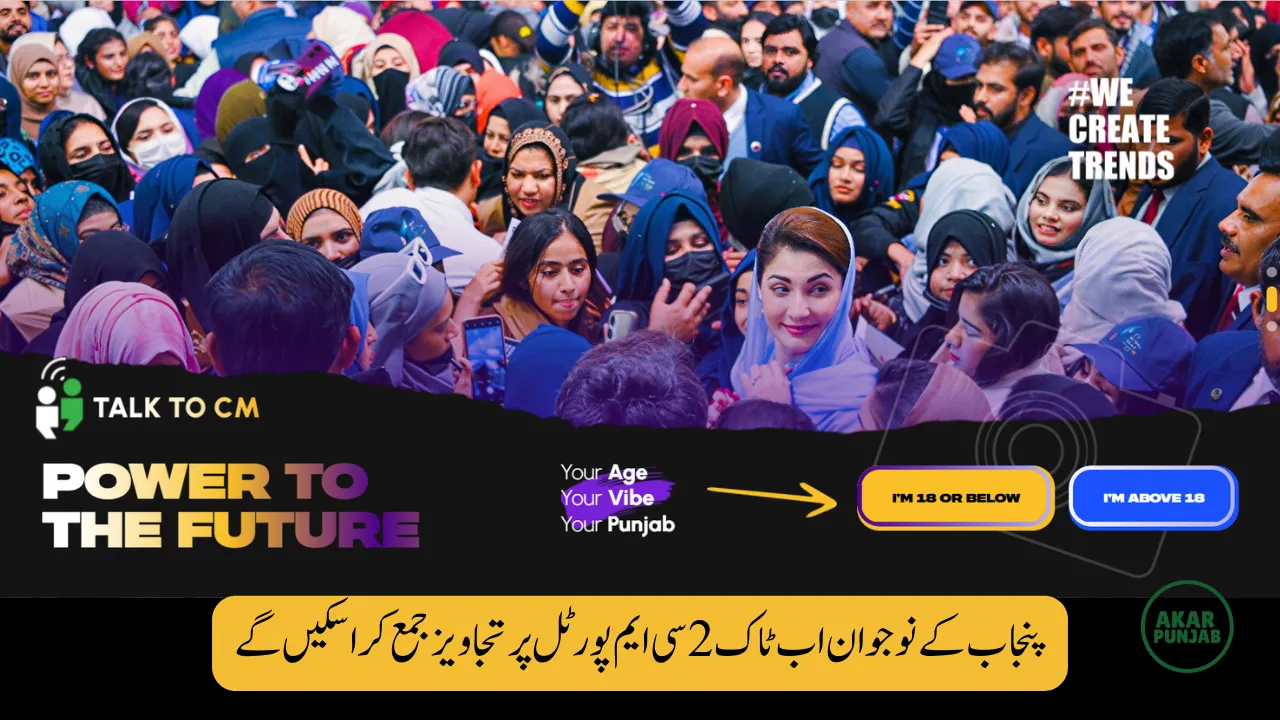

The Government of Punjab has launched www.talk2cm.punjab.gov.pk, a dedicated digital platform that allows citizens to communicate directly with the Chief Minister. Announced as part of the “Year of Youth 2026,” this portal gives people — especially young citizens — a structured way to submit ideas, feedback, and suggestions.
If you are searching:
- How to use Talk2CM Portal
- How to login talk2cm.punjab.gov.pk
- How to submit suggestion to CM Punjab
- How to send complaint to CM Maryam Nawaz
- How to track Talk to CM application
This complete guide explains everything clearly and simply.
What Is Talk to CM Portal?
The Talk to CM Portal is an official online communication system where residents of Punjab can directly send suggestions or feedback to the Chief Minister’s Office.
Unlike social media comments or informal emails, this is a structured government platform. Every submission is recorded and forwarded to the relevant department for review.
The website address is:
talk2cm.punjab.gov.pk
Who Can Use talk2cm.punjab.gov.pk?
The portal is open to:
- Residents of Punjab
- Youth aged 18 and above
- Young citizens under 18
- Students
- Overseas Pakistanis belonging to Punjab
- Business owners
- General public
Anyone who wants to share ideas, suggestions, or report issues can use this portal.
Age Categories on Talk 2 CM Portal
When you open talk2cm.punjab.gov.pk, you will see two options:
- I am 18 or below
- I am above 18
You must select the correct age category to proceed.
This age-based system ensures youth engagement and organized submissions.
How to Login to Talk2CM Punjab Portal
Accessing the portal is simple. Follow these steps carefully:

Step 1: Visit the Official Website
Go to talk2cm.punjab.gov.pk
Step 2: Confirm Your Age
Choose either:
- “I am 18 or below”
- “I am above 18”
Step 3: Click “Let’s Start”
After selecting your age category, click the start button.
Step 4: Choose Your Purpose
You will see options such as:
- Suggest Your Idea
- Give Your Feedback
Select the appropriate option.

Registration Process on Talk to CM Portal
If you are a new user, you will need to register.
You will be asked to provide:
- Full Name
- Email Address
- CNIC Number
- Date of Birth
- Mobile Number
After entering your details, you will receive a One-Time Password (OTP) on your registered mobile number.
Enter the OTP to verify your identity.
Once verified, you will gain access to your dashboard.
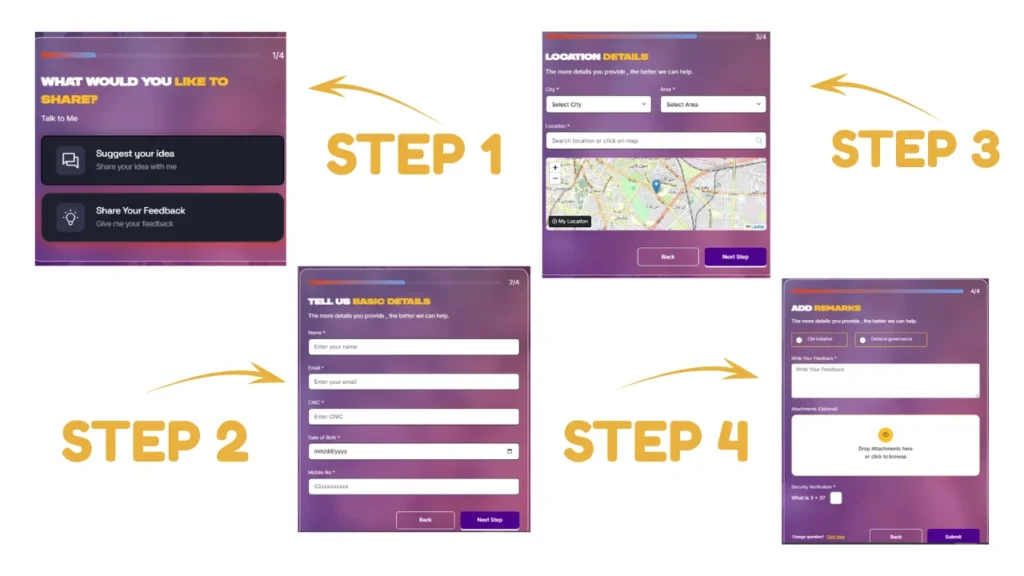
How to Submit Suggestion on talk2cm.punjab.gov.pk
After registration and login:
- Enter your basic information.
- Select your city and area.
- Write your idea, suggestion, or feedback clearly.
- Attach supporting documents or images if required.
- Click the “Submit” button.
After submission, you will receive a unique tracking ID.
This ID allows you to check the status of your submission later.
How to Track Application on Talk to CM Portal
Many users ask:
- Can I track my Talk to CM complaint?
- How to check status on talk2cm.punjab.gov.pk?
Yes, after submitting your idea or feedback, you receive a unique ID. Use this ID on the portal to check progress.

This system promotes transparency and accountability.
What You Can Share on Talk to CM Portal
The platform allows multiple types of communication.
You can submit:
- Public complaints
- Development suggestions
- Feedback on government schemes
- Reports of corruption
- Business-related concerns
- Youth policy ideas
The portal is not limited to one department. It covers multiple government sectors.
Advantages of Using talk2cm Punjab
The portal offers several benefits:
Direct Access
You do not need to visit government offices.
Time Saving
You can submit your message from home.
Transparency
Tracking ID ensures your submission is recorded.
Accountability
Messages are monitored at the Chief Minister’s Office.
Youth Participation
Young people can directly contribute to governance.

What Makes Talk to CM Portal Unique?
This platform stands out because:
- It is centralized.
- It uses age-based access.
- It supports English and Urdu.
- It provides digital tracking.
- It encourages youth engagement.
Most importantly, it provides structured communication with the Chief Minister’s Office.
Frequently Asked Questions
Is there any fee to use talk2cm.punjab.gov.pk?
No, the portal is completely free.
Can I attach documents?
Yes, you can attach files while submitting your idea or complaint.
Is my personal information safe?
The portal requires OTP verification, which ensures identity protection.
Can overseas Pakistanis use it?
Yes, overseas residents belonging to Punjab can use the portal.
Can I submit both complaint and suggestion?
Yes, the platform allows multiple categories including complaints and ideas.
Final Thoughts
The launch of www.talk2cm.punjab.gov.pk marks an important step in digital governance in Punjab. It allows citizens to directly communicate with the Chief Minister without middlemen.
By using this portal responsibly, residents can contribute to better policies, improved services, and transparent governance.

